

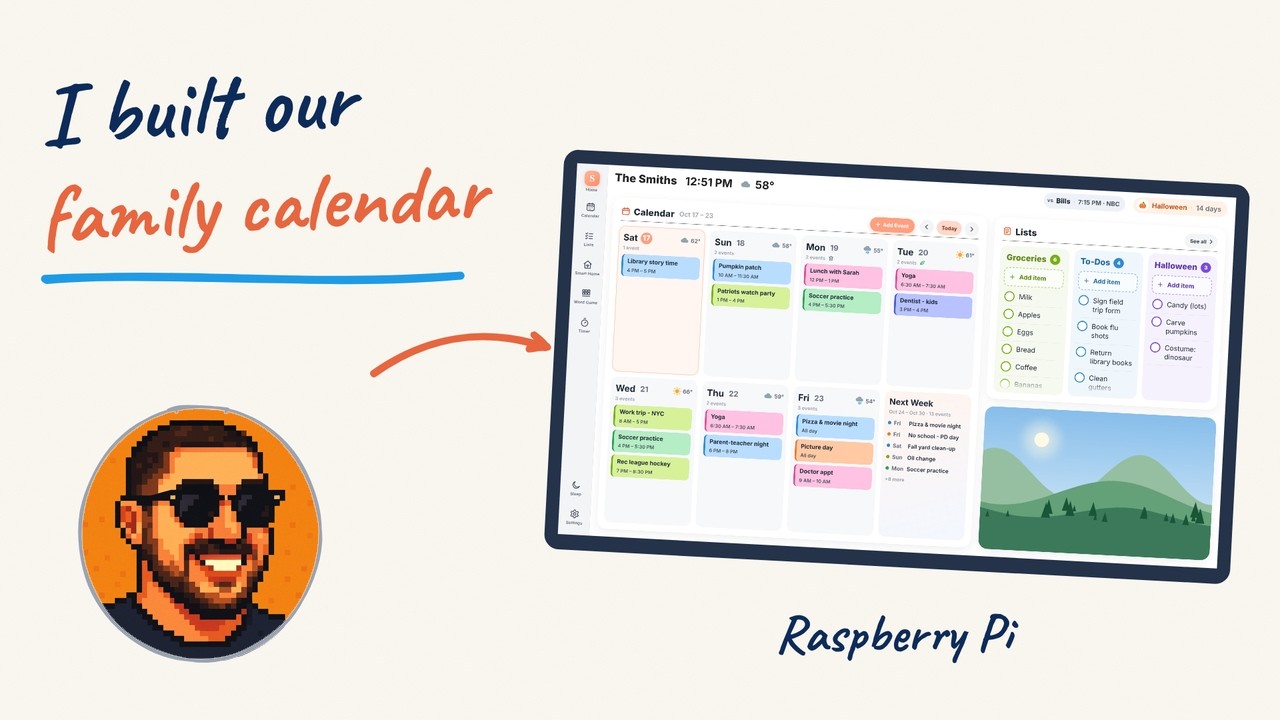
A friendly family wall calendar and home dashboard for a Raspberry Pi touchscreen — the week ahead, shared lists, timers, photos, weather and smart-home controls on one screen. Built on MagicMirror².
v1.0 — what's in it: CHANGELOG.md. Where it's heading: PLAN.md.
Watch the intro video (YouTube):

 |
 |
 |
 |

Screenshots use a made-up family and demo pictures (node tools/harness.js tools/demo/screenshots.js).
- Home: the week ahead with everyone's events in their colors, weather, trash-day icons, your lists and a photo.
- Calendar: month / two-week / week view; tap to see, add, edit or delete events.
- Lists: to-dos and groceries — kept on the Pi, or in Todoist. Check off with Undo.
- Timer, holiday & birthday countdown, your team's game day, sleep button, photos from a folder, USB stick or Immich.
- Works with Google, Outlook, iCloud, Fastmail, Nextcloud or any calendar link — or no account at all.
- Add-on — Music: the screen becomes an AirPlay and Spotify speaker, with a Music page
(docs/music.md):
opensky addon music.
On a Raspberry Pi 4/5 with Raspberry Pi OS (64-bit, desktop) and a touchscreen:
git clone https://github.com/CosmoJM/OpenSky.git ~/OpenSky && cd ~/OpenSky && ./install.shStep by step: docs/install.md · settings: docs/configure.md · Google Calendar with editing: docs/google-calendar.md · help: docs/troubleshooting.md
- For people:
docs/. - Contributing: CONTRIBUTING.md.
- For AI assistants: start with
AGENTS.md.