
Saved views for the Strapi 5 Content Manager. Filter a list once, save it as a bookmark and get back to exactly that list with one click. Share bookmarks with roles or single admin users, pin your favourites to the Strapi homepage, and build filters the native filter bar cannot express ("any condition", "is one of", "is between", relation and component fields).
Free and open source under the MIT license. No license key, no limits, no telemetry and no calls to external servers.




Website: schero94.github.io/Magicmark · npm: strapi-plugin-magic-mark · Issues: github.com/Schero94/Magicmark/issues
- Why Magic Mark
- Features
- Quick start (1 minute)
- Screenshots
- How it works
- Configuration
- Permissions
- Examples
- Admin API
- Security and privacy
- Performance
- Running several instances (Railway replicas, pm2 cluster)
- Compatibility
- Upgrading from 3.x
- Troubleshooting
- FAQ
- Development and tests
- Contributing and support
- License
Editors open the same lists every day: drafts waiting for review, articles without an SEO title, products of one category in one locale. In plain Strapi they rebuild those filters by hand or keep long admin URLs in their browser bookmarks. Those break when the admin URL changes, and nobody can share them by role.
Magic Mark stores the list view itself (content type, filters, sort order, page size, search text and locale) inside Strapi, right next to the list it belongs to. Role permissions decide who may read, create, edit, share or tidy up bookmarks, and the server checks every one of them.
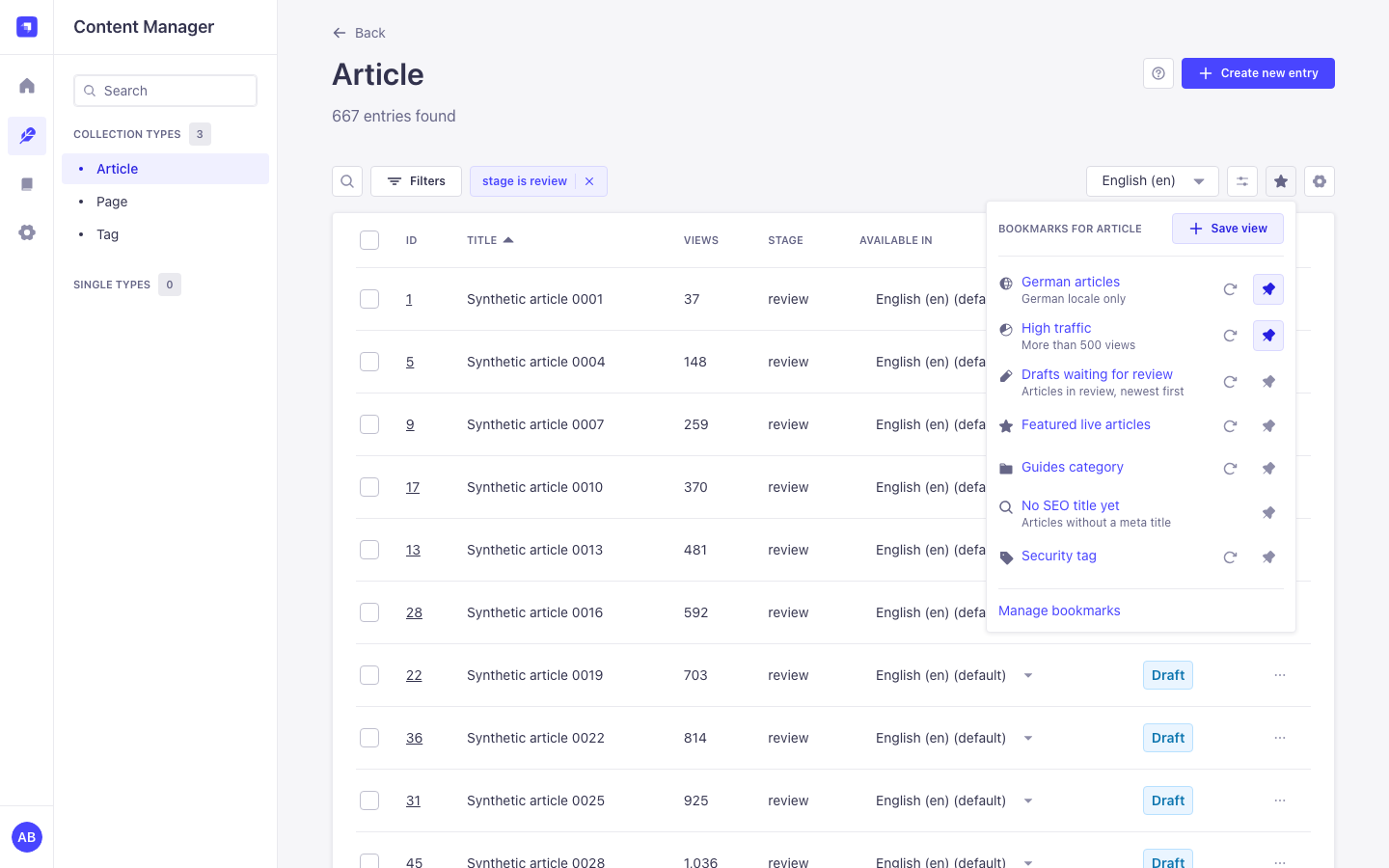
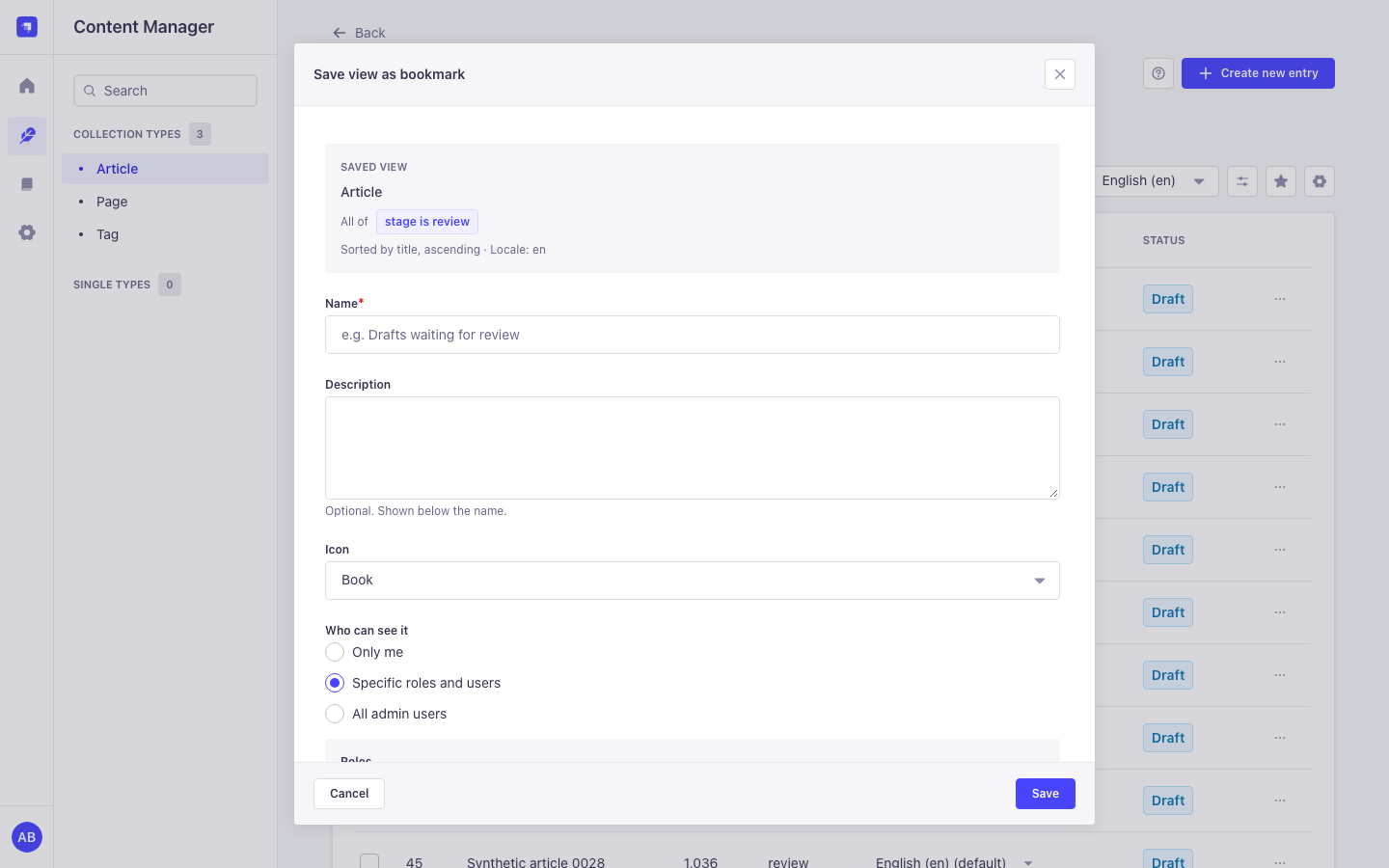
- Save view in the list view toolbar keeps the content type, filters, sort order, page size, search text and locale of the list you are looking at.
- One click to open. A bookmark opens its list without a page reload. The Content Manager's remembered settings for that content type are replaced, so old filters never mix in.
- Sharing. Keep a bookmark private, share it with roles and single admin users, or with all admins. Recipients can open, pin and duplicate it; only the owner or a manager can change it.
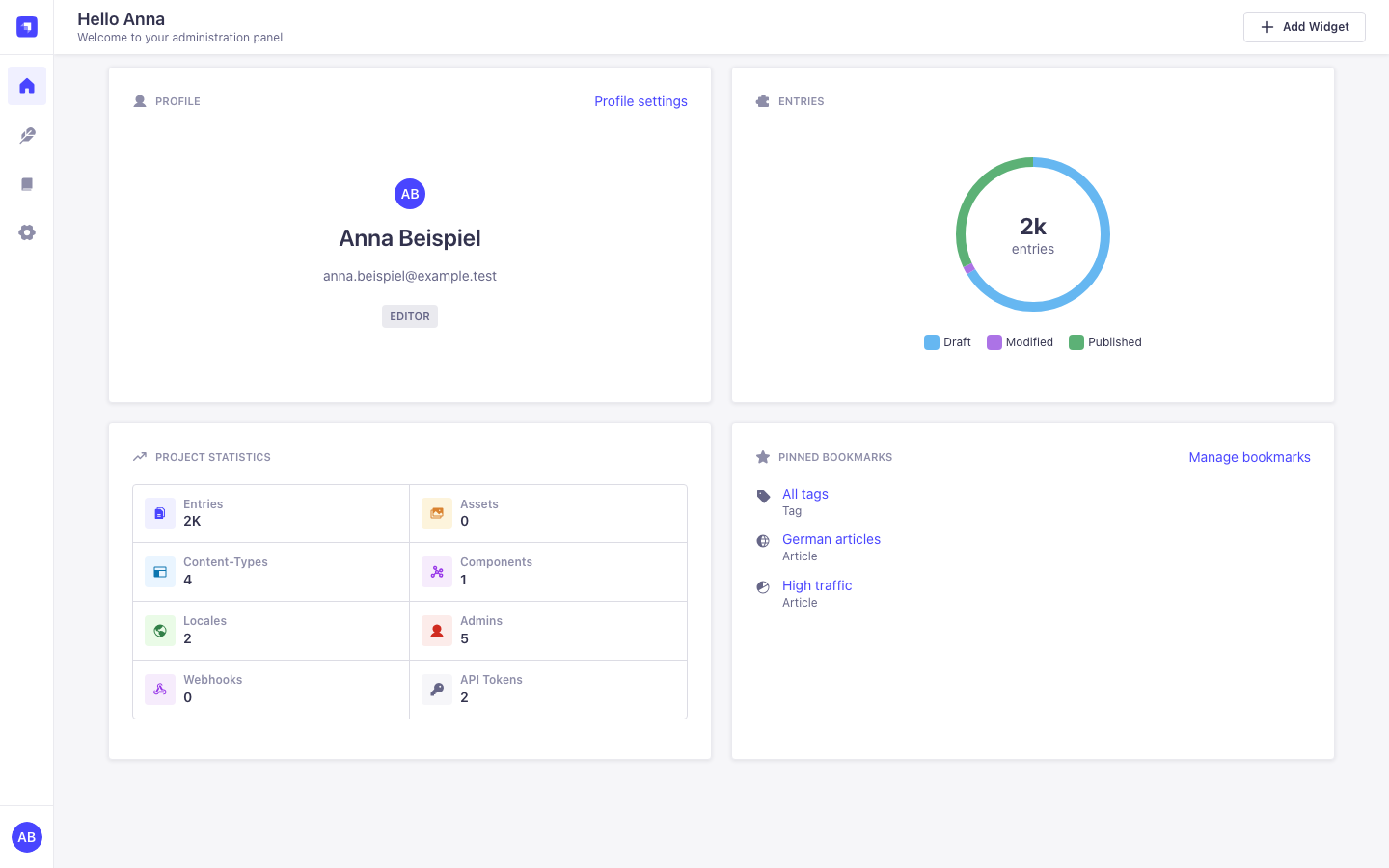
- Pins per user. Pinned bookmarks come first in the toolbar and in the "Pinned bookmarks" widget on the Strapi homepage. Pinning a shared bookmark changes only your own list.
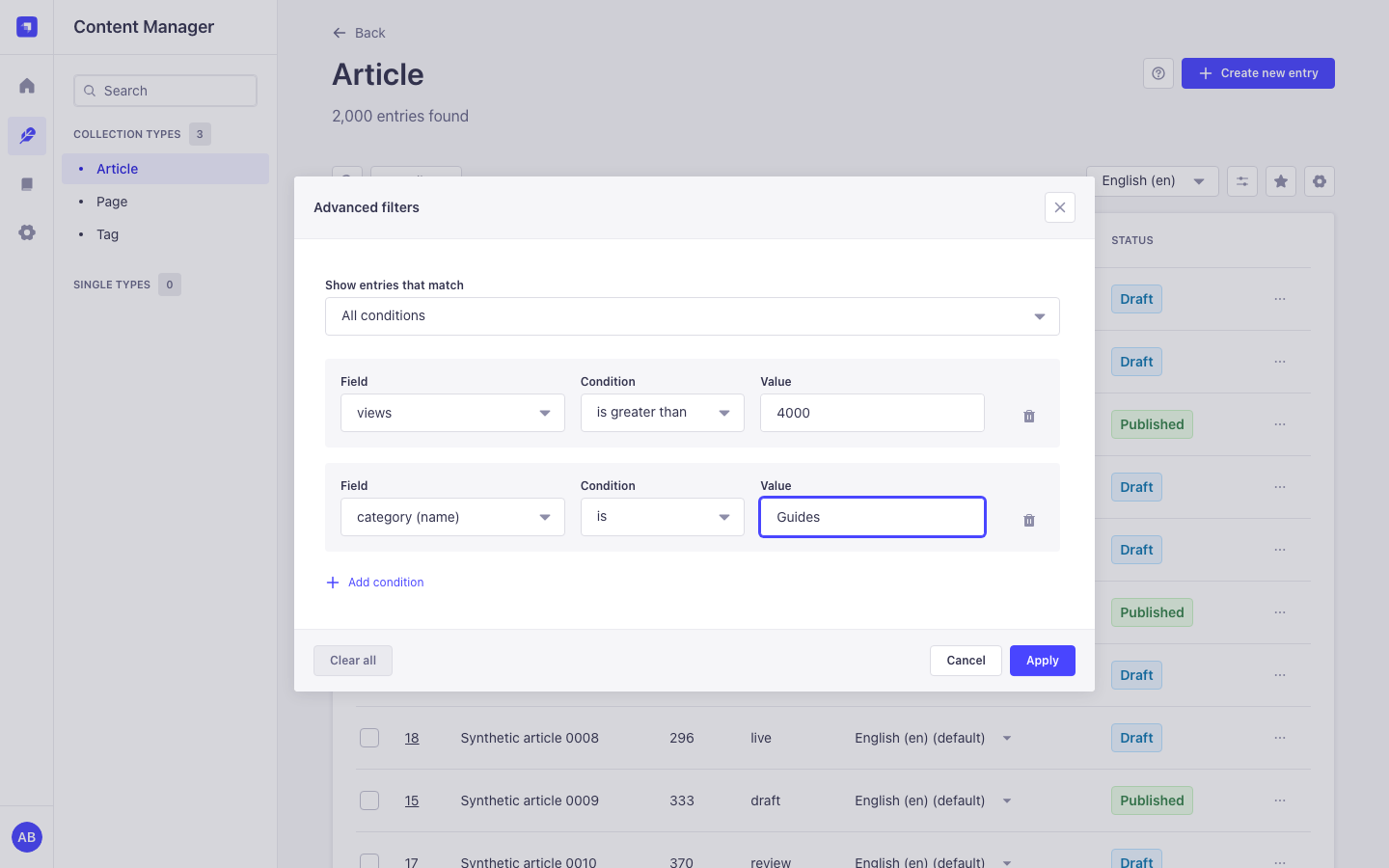
- Advanced filters add "all conditions" or "any condition", the operators "is one of", "is none of" and "is between", and fields of relations and non-repeatable components. "All conditions" filters show up as native filter tags.
- Keep views current. "Update with current view" saves the list you are looking at into an existing bookmark; its name and sharing stay.
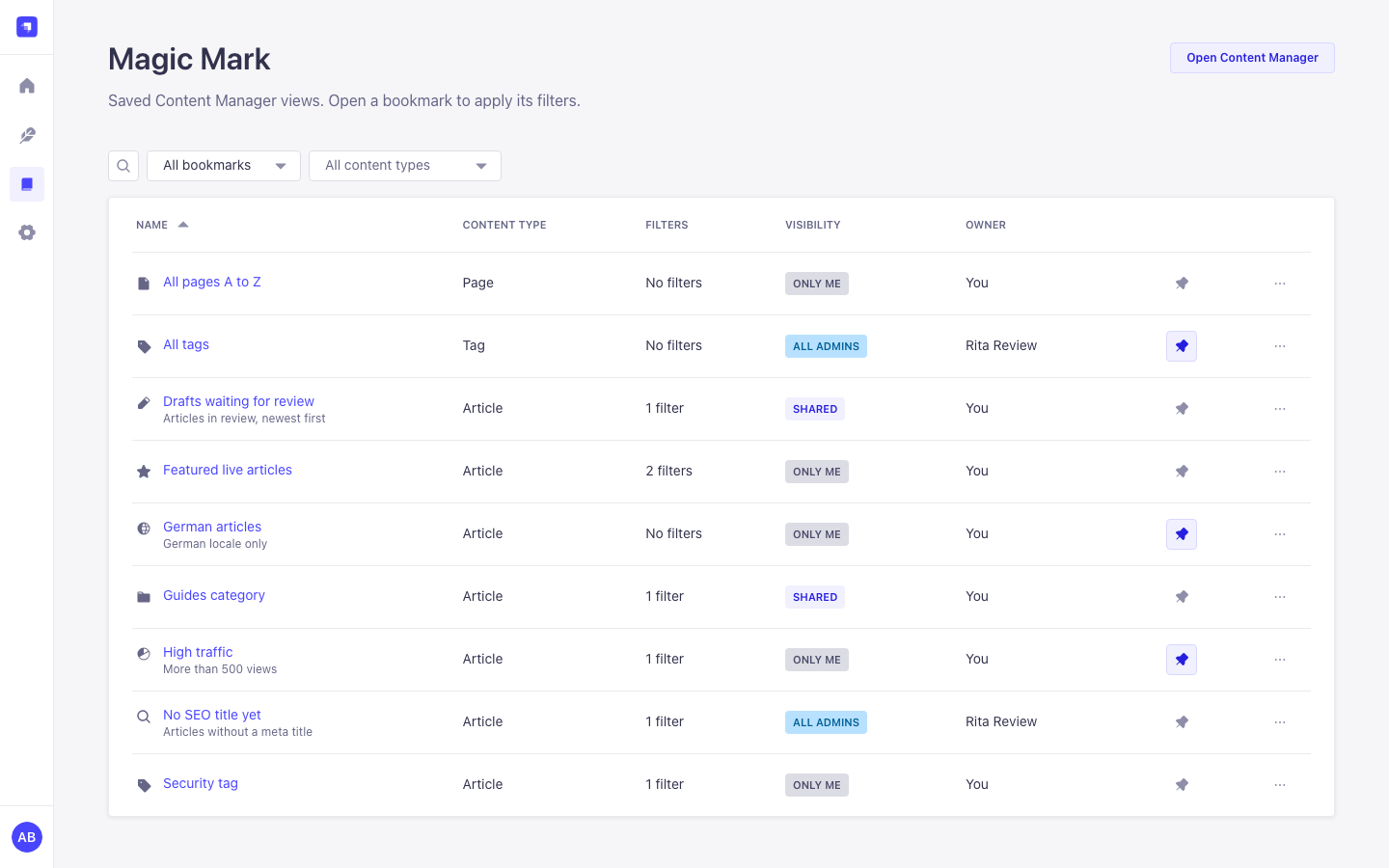
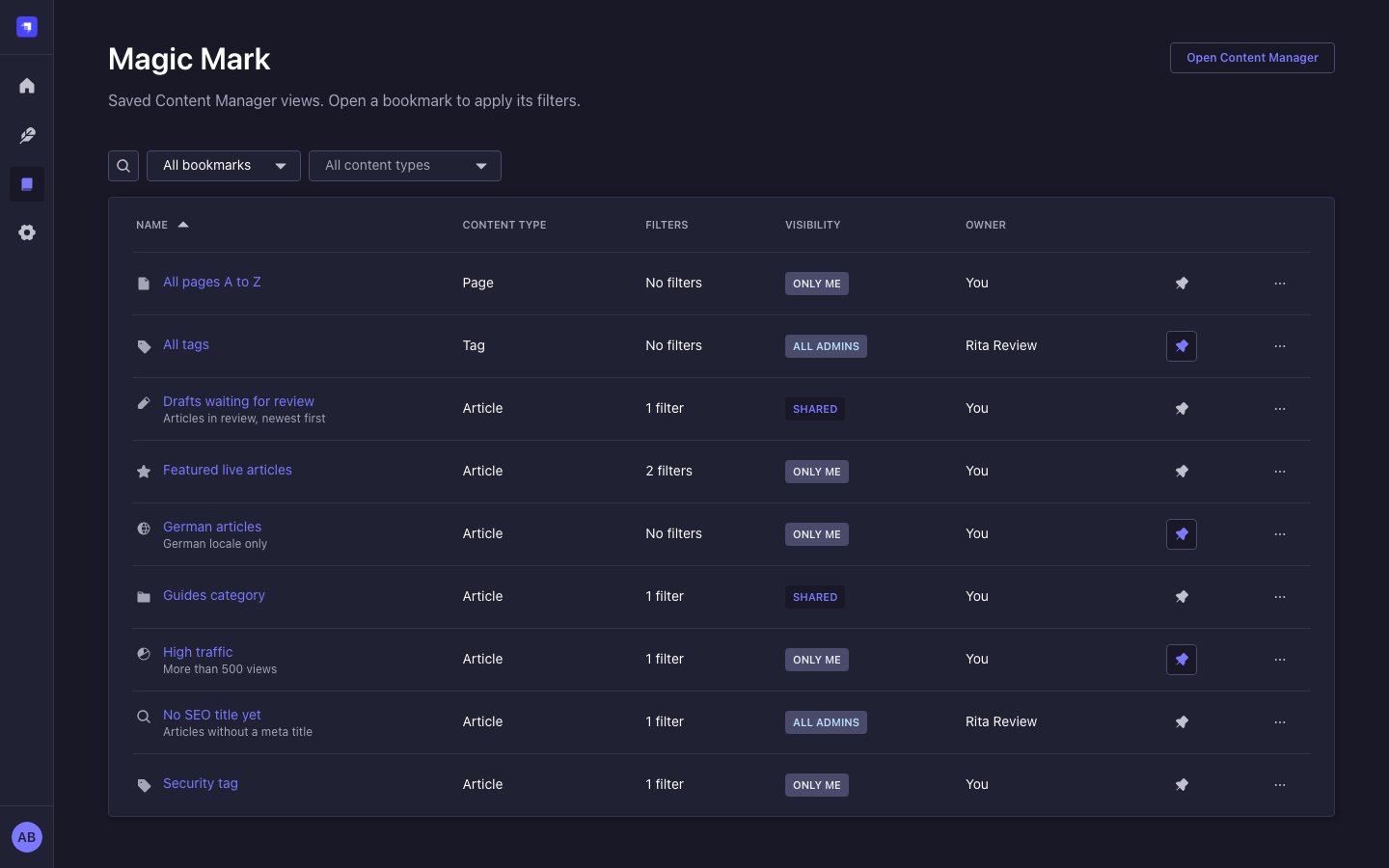
- Magic Mark page with search, scope (created by me, shared with me, pinned, all shared), content type filter, sorting and pagination. Row actions: pin, open, edit, duplicate, copy link, delete.
- Six role permissions, checked on the server for every request.
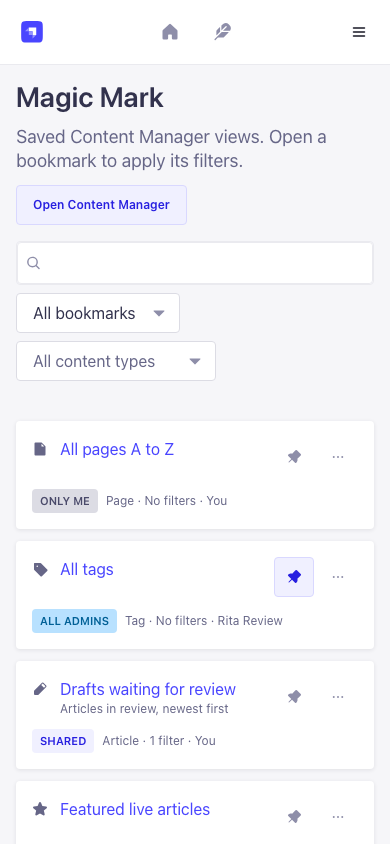
- Strapi-native UI. Built only from Strapi Design System components, with light and dark mode, layouts from 1440 px down to 320 px, full keyboard access and five languages (English, German, French, Spanish, Portuguese).
- Safe with several Strapi processes on one database, tested with 8 processes on Postgres (see Running several instances).
-
Install the package in your Strapi 5 project:
npm install strapi-plugin-magic-mark
# or
yarn add strapi-plugin-magic-mark
# or
pnpm add strapi-plugin-magic-mark
-
Rebuild the admin panel and start Strapi:
npm run build
npm run develop
Strapi enables installed plugins by itself. If your
config/pluginsfile lists plugins explicitly, add'magic-mark': { enabled: true }. -
Open any collection type in the Content Manager, set a filter, open Bookmarks next to View settings and choose Save view. Give it a name and save.
Super Admins have every Magic Mark permission. For other roles, turn on what they need under Settings > Roles > (role) > Plugins > Magic Mark (see Permissions).
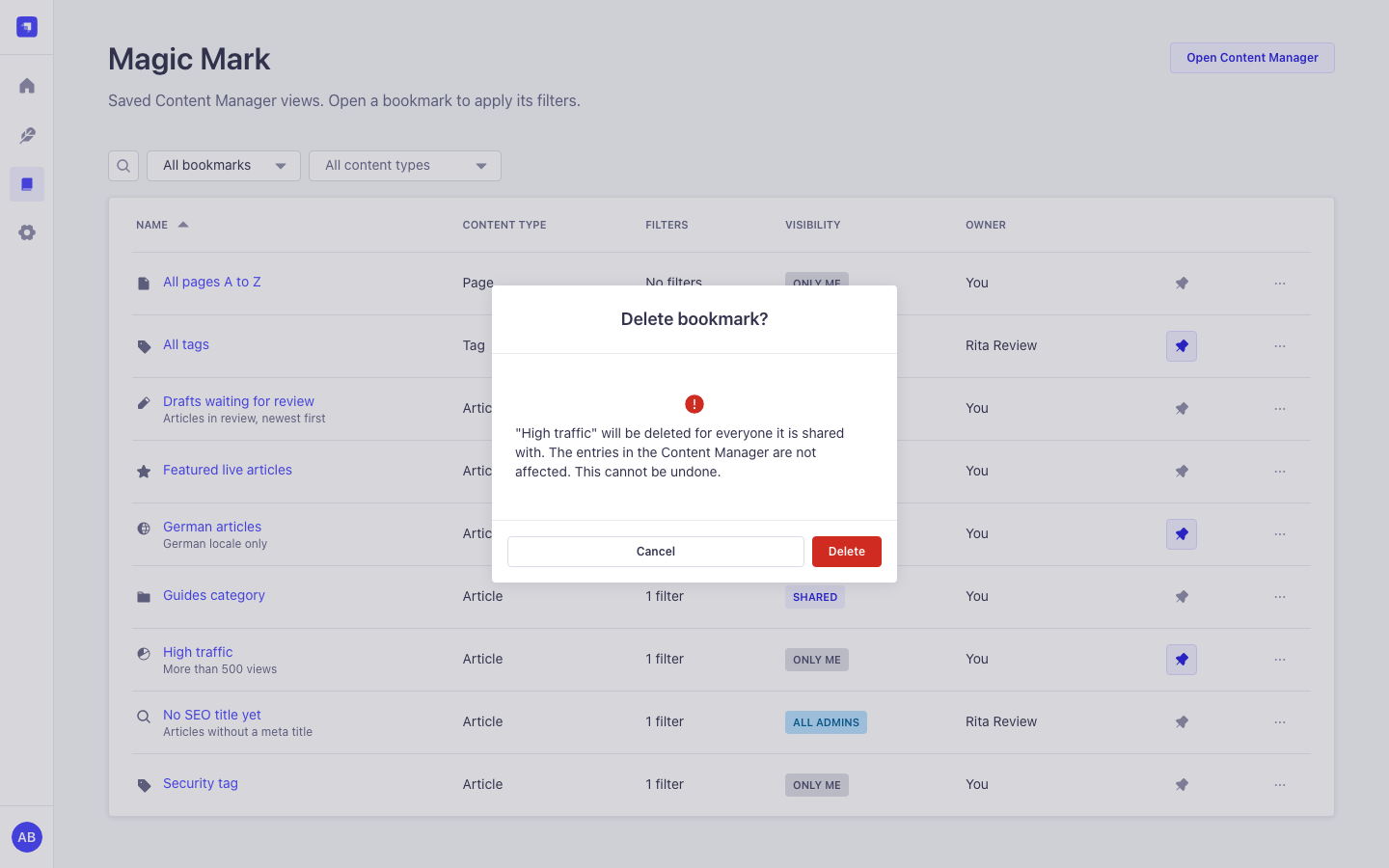
All screenshots use synthetic data on an isolated Strapi 5.61 host.
| Bookmarks in the list view | Advanced filters |
|---|---|
|
 |
| Save view as bookmark | Magic Mark page |
 |
 |
| Dark mode | Homepage widget |
 |
 |
| Delete confirmation | Mobile, 390 px |
 |
 |
| Term | Meaning |
|---|---|
| Bookmark | A saved Content Manager list view: content type, filters, sort order, page size, search text and locale. The page number is not saved, so a bookmark always opens on page 1. |
| Owner | The admin user who created the bookmark. The owner, or someone with Manage shared bookmarks of others, can edit or delete it. |
| Visibility | Only me, Specific roles and users or All admin users. Recipients can open, pin and duplicate a bookmark, but not change it. |
| Pin | Per user. Pinning a shared bookmark changes only your own toolbar list and homepage widget. |
| Advanced filters | A filter editor for the list view with "all conditions" or "any condition", extra operators, and relation and component fields. |
Where you find it:
| Screen | Where | Who sees it |
|---|---|---|
| Bookmarks button | Content Manager list view toolbar, next to View settings. Lists the bookmarks of this content type, pinned first. Up to 100 are listed; a link opens the rest on the Magic Mark page. Save view captures the current list; the refresh icon saves the current view into an existing bookmark. | Read bookmarks (saving needs Create bookmarks) |
| Advanced filters button | Same toolbar | Every admin who can open the list |
| Magic Mark page | Main menu | Read bookmarks |
| Pinned bookmarks widget | Strapi homepage | Read bookmarks |
With All conditions the filters use the same $and shape as Strapi's own filters, so they
appear as filter tags and can be removed one by one. With Any condition the list is filtered
correctly, but Strapi does not show those conditions as tags; open Advanced filters to change or
clear them.
Magic Mark has no configuration options and reads no environment variables. Access is controlled only with role permissions.
| Setting | Where | Default |
|---|---|---|
| Turn the plugin on or off | config/plugins.js or .ts: 'magic-mark': { enabled: true } or false |
On once installed |
| Who may do what | Settings > Roles > Plugins > Magic Mark | Super Admin: everything. Other roles: nothing until you grant it. |
| Permission (Settings > Roles > Plugins) | Action id | Allows |
|---|---|---|
| Read bookmarks | plugin::magic-mark.bookmarks.read |
See and open bookmarks, pin them, the Magic Mark page and the homepage widget |
| Create bookmarks | plugin::magic-mark.bookmarks.create |
Save views, duplicate bookmarks |
| Edit own bookmarks | plugin::magic-mark.bookmarks.update |
Rename, describe, change the icon and update the saved view of your bookmarks |
| Delete own bookmarks | plugin::magic-mark.bookmarks.delete |
Delete your bookmarks |
| Share bookmarks | plugin::magic-mark.bookmarks.share |
Share with roles, single admin users or all admins, and search admin users for sharing |
| Manage shared bookmarks of others | plugin::magic-mark.bookmarks.manage |
See every public or shared bookmark under Show > All shared bookmarks, also when you are not a recipient or the owner was deleted. Editing and deleting them also need Edit own and Delete own. |
Private bookmarks of other users stay private, also for managers and Super Admins. The user
search shows email addresses only to admins who may read admin users (admin::users.read).
A review queue for the editor team. Filter Articles by stage is review, sort by
updatedAt descending, save the view as "Waiting for review" and share it with the Editor role.
Every editor finds it in the Bookmarks menu of Articles and can pin it to the homepage.
A personal working set. In Advanced filters choose Any condition, add "stage is one of idea, review" and "author is anna.beispiel", apply, then save the view as a private bookmark and pin it.
Keep a shared bookmark up to date. Change the filters in the list, open Bookmarks and use the refresh icon next to the bookmark. It now stores the current view; the name and the people it is shared with stay the same.
Read bookmarks from a script. The routes are admin routes, so they need an admin JWT, like every Strapi admin route:
curl -s "http://localhost:1337/magic-mark/bookmarks?contentType=api::article.article&scope=pinned" \
  -H "Authorization: Bearer $ADMIN_JWT"
{
"data": [
{
"documentId": "k3l0x9q2m8v7c1b4n6z5w0aa",
"name": "Waiting for review",
"description": "",
"icon": "pencil",
"path": "/content-manager/collection-types/api::article.article",
"contentType": "api::article.article",
"query": "filters[$and][0][stage][$eq]=review&sort=updatedAt:DESC",
"visibility": "shared",
"owner": { "name": "Anna Beispiel", "isDeleted": false },
"isOwner": true,
"isPinned": true,
"canEdit": true,
"createdAt": "2026-11-07T10:00:00.000Z",
"updatedAt": "2026-11-07T10:05:00.000Z"
}
],
"meta": {
"pagination": { "page": 1, "pageSize": 25, "pageCount": 1, "total": 1 },
"permissions": { "canShare": true, "canManage": false }
}
}All routes are admin routes under /magic-mark. Each one requires an authenticated admin
(admin::isAuthenticatedAdmin) and every listed action (admin::hasPermissions). Owner checks
run in the service: a bookmark you cannot see answers 404; a bookmark you can see but may not
change answers 403. There are no Content API routes.
| Method and path | Required actions | Notes |
|---|---|---|
GET /bookmarks |
read | Query: page, pageSize (1 to 100), q (name search), scope (all, mine, shared, pinned, managed), sort (name:asc, name:desc, updatedAt:desc, updatedAt:asc), contentType |
POST /bookmarks |
read, create | Body: name, path, query, description, icon, visibility (private, shared, public), roles, users. Anything but private also needs share. |
GET /bookmarks/:id |
read | Owners and managers also get the sharing lists |
PUT /bookmarks/:id |
read, update | Name, description, icon and sharing. Owner or manage. |
DELETE /bookmarks/:id |
read, delete | Owner or manage. Also removes its shares and pins. |
PUT /bookmarks/:id/view |
read, update | Body { "query": "..." }. Replaces the saved view. |
POST /bookmarks/:id/duplicate |
read, create | Optional body { "name": "..." }. Private copy owned by the caller. |
PUT /bookmarks/:id/pin |
read | Body { "pinned": true }. Per user. |
GET /sharing/roles |
share | documentId and name of every role |
GET /sharing/users |
share | Query q, page; 20 active users per page; email only with admin::users.read |
Errors use Strapi's format { "data": null, "error": { "status", "name", "message", "details" } }.
Invalid input answers 400 ValidationError with field details. Request bodies are strict, so
unknown fields are rejected.
- No license system, no outbound requests, no timers and no telemetry. On the first start the 3.x license keys are deleted from the plugin store.
- Every route checks authentication and permissions on the server. The menu and buttons only follow those rules; they are not the security boundary.
pathmust be a Content Manager list view (/content-manager/collection-types/<uid>or/content-manager/single-types/<uid>), so a shared bookmark cannot send anyone to another admin page or off-site.- Saved queries are parsed with
qswith prototype keys disabled, limited in size (8192 characters), filter depth (8) and value length (1000 characters), and stored without the page number. Onlyfilters,sort,pageSize,_qand the i18n locale are kept. - Request bodies are validated with strict zod schemas. Share lists are capped at 200 targets, and every target must exist (users must be active).
- Recipients never see who else a bookmark is shared with.
- Deleting an admin user removes their pins, the shares that point at them and their private bookmarks. Their public or shared bookmarks stay and show "Deleted user"; a manager finds them under All shared bookmarks. Deleting a role removes its shares.
- Logs contain no keys, emails, ids or request bodies, only error names.
Found a security problem? Please open an issue without exploit details and ask for a private contact.
- Lists are filtered, searched, sorted and paginated in the database, at most 100 rows per request. Owner names, pins and share flags of a page load with one query each, so a page costs the same number of queries for 10 or 100 bookmarks.
- The user search for sharing is paginated (20 per page) and runs in the database.
- The plugin keeps nothing in memory between requests and starts no timers or background jobs.
Magic Mark keeps no state in the Node.js process, so any number of Strapi processes can serve the
same database: Railway replicas, Kubernetes pods, pm2 start --instances 4, or all of them
together.
How writes stay correct across processes:
- Every write to an existing bookmark (edit, share, update view, pin, delete) first locks the
bookmark row with
SELECT ... FOR UPDATEinside its transaction. Strapi's admin uses the same pattern for the first admin user. Two share edits never interleave, two pins never create two rows, and a request that waited for a delete answers 404 instead of leaving share or pin rows behind. SQLite ignoresFOR UPDATEand runs one writer at a time anyway. - The 3.x upgrade runs in every process at start-up. Each bookmark row is claimed with a guarded update inside a transaction, and permissions are granted per role under a row lock, so shares, pins and permissions are written once.
- The plugin gives the Super Admin role its permissions under a row lock before Strapi's own Super Admin sync runs, so starting several processes at once does not duplicate permission rows. Duplicates left by an earlier simultaneous start are removed at the next start.
Tested on Strapi 5.61.0 with Postgres 16: 8 processes in two groups of four, started at the same moment on a database with 450 bookmarks in the 3.x format, then about 1,260 parallel create, edit, share, update view, pin, duplicate and delete requests spread over all 8 processes. Result: no lost or duplicated bookmark, share, pin or permission rows, no orphaned share or pin rows and no server errors. The same run against the previous code found duplicated pins and permissions, orphaned shares and a deadlock; those are fixed.
One thing to know for upgrades that change the database schema (3.x to 4.x adds two tables):
Strapi's own schema sync is not safe to run in several processes at the same moment. In the test
above, 7 of 8 processes stopped at the first start with relation "magic_bookmark_shares" already exists and came up normally when restarted, with correct data. This comes from Strapi core and
happens with any plugin or content type that adds tables. Start one instance first and scale up
once it runs, or rely on your platform's restart policy (Railway restarts crashed replicas, pm2
restarts crashed workers).
| Magic Mark | Strapi | Node.js | Notes |
|---|---|---|---|
| 4.x | 5.57.0 or newer 5.x | 22.22.2 or newer 22.x, 24.15.0 or newer | Free. Acceptance host: Strapi 5.61.0 on SQLite and Postgres 16. 3.x data and permissions migrate on the first start. |
| 3.x | 5.x | 22 | Contained the license system. No longer maintained. |
Install with npm, yarn 1 or pnpm. The plugin's peers match what a new Strapi 5 app already has:
@strapi/strapi, react 18, react-dom 18, react-router-dom 6 and styled-components 6 are
required peers; @strapi/design-system, @strapi/icons and react-intl are optional peers,
because a Strapi app gets them through @strapi/admin. Installing the plugin into a new Strapi
5.61 app with npm 11, yarn 1.22 or pnpm prints no warning caused by the plugin.
There are no manual steps. Update the package, rebuild the admin (npm run build) and start
Strapi. On the first start:
- Roles with the 3.x permission Read (
settings.read) get Read bookmarks. Roles with Edit (settings.update) get Read, Create, Edit own, Delete own and Share bookmarks. Strapi then removes the old permissions. - Bookmarks shared with users or roles move to the new share table. Shares to users or roles that no longer exist are dropped. Relative 3.x paths are fixed, saved queries are cleaned like new ones (the page number and unknown keys are removed), and the content type of each bookmark is filled in.
- A bookmark pinned in 3.x stays pinned for its owner. Pins are per user from now on.
- The custom order (move up and down) is gone; lists are sorted by name or by last update.
- The license key and its validation date are deleted. The Upgrade and License settings pages are gone; every feature is available to everyone. Old browser bookmarks to those settings pages open an empty settings area, which is how Strapi treats any unknown settings path.
- The 3.x icon ids are kept and shown with Strapi icons.
Breaking changes for code that called the plugin directly: the routes /license/*, /roles,
/users and /bookmarks/reorder were removed, and the sharing lookups moved to
/sharing/roles and /sharing/users. The plugin's own admin UI was their only consumer. The
plugin now needs Strapi 5.57 or newer. Give Manage shared bookmarks of others to roles that
should tidy up other users' shared bookmarks. If you run several instances, read the schema note
in Running several instances before
you deploy the upgrade.
| Symptom | Cause and fix |
|---|---|
| No Magic Mark menu entry, no Bookmarks button | The role lacks Read bookmarks. |
| Save view is missing | The role lacks Create bookmarks. |
| No sharing options in the dialog | The role lacks Share bookmarks. |
| Users are listed without email | Email is shown only to admins who can read admin users. |
| Advanced filters show only some fields | The role can read only those fields of the content type in the Content Manager. |
| "This bookmark does not point to a list view" | A 3.x bookmark had an unusual path. Delete it and save the view again. |
| After an upgrade with several instances, some processes stopped with "already exists" | Strapi's schema sync ran in several processes at once. Restart them; see Running several instances. |
| The plugin does not show up after installing | Rebuild the admin panel (npm run build) and restart Strapi. |
Is Magic Mark free? Yes. The 3.x license system is gone; every feature is available to everyone under the MIT license.
Does the plugin send data anywhere? No. It makes no outbound requests and has no telemetry, not even an installation ping.
Can I see the private bookmarks of other admins? No, also not as Super Admin. Managers see public and shared bookmarks of everyone under Show > All shared bookmarks.
What happens to bookmarks when an admin user is deleted? Their private bookmarks, their pins and the shares that point at them are removed. Their public and shared bookmarks stay and show "Deleted user" until a manager removes them.
Does a bookmark open on the page I saved it on? No. The page number is not saved, so a bookmark opens on page 1 with its filters, sort, page size, search and locale.
Are the columns of the list view saved? No. Columns are a per-user Content Manager setting and stay as they are.
Why do "Any condition" filters not show as filter tags? Strapi shows only $and filters as
tags. The list is still filtered correctly; open Advanced filters to change or clear them.
Does it work with a custom admin URL? Yes. Bookmarks store the path inside the admin, not the full URL.
Can I run it on several Strapi instances? Yes, see Running several instances.
npm ci --legacy-peer-deps
npm run lint
npm run format:check
npm test
npm run test:ts:front
npm run test:ts:back
npm run build
npm run verify
npm run verify:runtime
npm test runs the Node test runner over the server services (access rules, sharing, pins,
concurrent writes with row locks), validation, routes with the real admin::hasPermissions
policy, lifecycles and the 3.x migrations (also with 8 parallel runs), the admin filter and list
view helpers, translation completeness and package rules. CI runs every command above on Node 22
and 24, and type-checks, tests and builds once more against the lowest supported Strapi version
(5.57.0).
- Bugs and feature requests: open an issue.
- Pull requests are welcome. Run the commands from Development and tests
first; CI runs the same ones. Use Conventional Commits (
fix:,feat:,docs:), because the release version is derived from them. Screenshots must use synthetic data only.
Releases are published to npm by semantic-release from main. Dependabot proposes dependency
updates weekly; patch and minor updates are merged after lint, tests, type checks, build and
verify pass, and Strapi peer majors are updated by hand. See CHANGELOG.md.