

An independent integration of @stephanluis/react-input-duration
and react-countdown. The editable duration control
shows the remaining time while counting down. Applications provide their own controls.
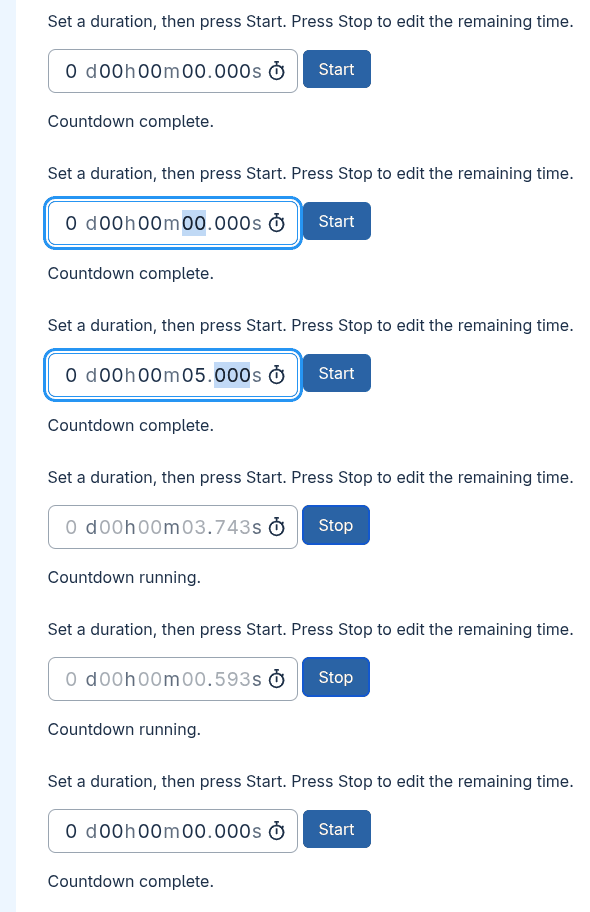
npm install @stephanluis/react-countdown-editableReact 18.2 or 19 and React DOM are required.
import { useRef, useState } from 'react';
import EditableCountdown from '@stephanluis/react-countdown-editable';

function TimerExample() {
    const timer = useRef(null);
    const [running, setRunning] = useState(false);
    const [status, setStatus] = useState('Ready.');

    function start() {
        try {
            timer.current.start();
        } catch (error) {
            setStatus(error.message);
        }
    }

    return <>
        <EditableCountdown ref={timer} initialValue="0:00:00:10.000"
            onStart={() => { setRunning(true); setStatus('Countdown running.'); }}
            onStop={() => { setRunning(false); setStatus('Countdown stopped.'); }}
            onComplete={() => { setRunning(false); setStatus('Countdown complete.'); }} />
        <button type="button" onClick={running ? () => timer.current.stop() : start}>
            {running ? 'Stop' : 'Start'}
        </button>
        <p role="status">{status}</p>
    </>;
}
initialValue accepts HH:mm:ss.SSS or D:HH:mm:ss.SSS; it is used only on mount.
Call start() on the ref to use the last committed duration; it throws if the input is not ready,
invalid, zero, or outside JavaScript's safe integer and date ranges. Call stop() to preserve the
remaining duration for editing. Each method returns true when it acts and false if the timer is
already in that state. onStart, onStop, and onComplete are React callbacks; if stop() is
called after the deadline, onComplete is called instead of onStop.
The input is disabled while running and re-enabled on stop or completion. This project is not affiliated with or endorsed by react-countdown.
Run npm install, then npm run demo, and open the URL printed by Vite. Run npm test to check
the integration and its TypeScript declarations.
After GitHub Pages is enabled with GitHub Actions as its source, the Pages workflow deploys
the demo to GitHub Pages on pushes to
main.