
Web-based visual editor for building and monitoring nonoha-engine graphs. Place nodes, connect their ports, set their properties, and watch the data flowing through the graph in live views. It connects to a running nonoha-engine, which runs the graph and can serve the editor at /editor.
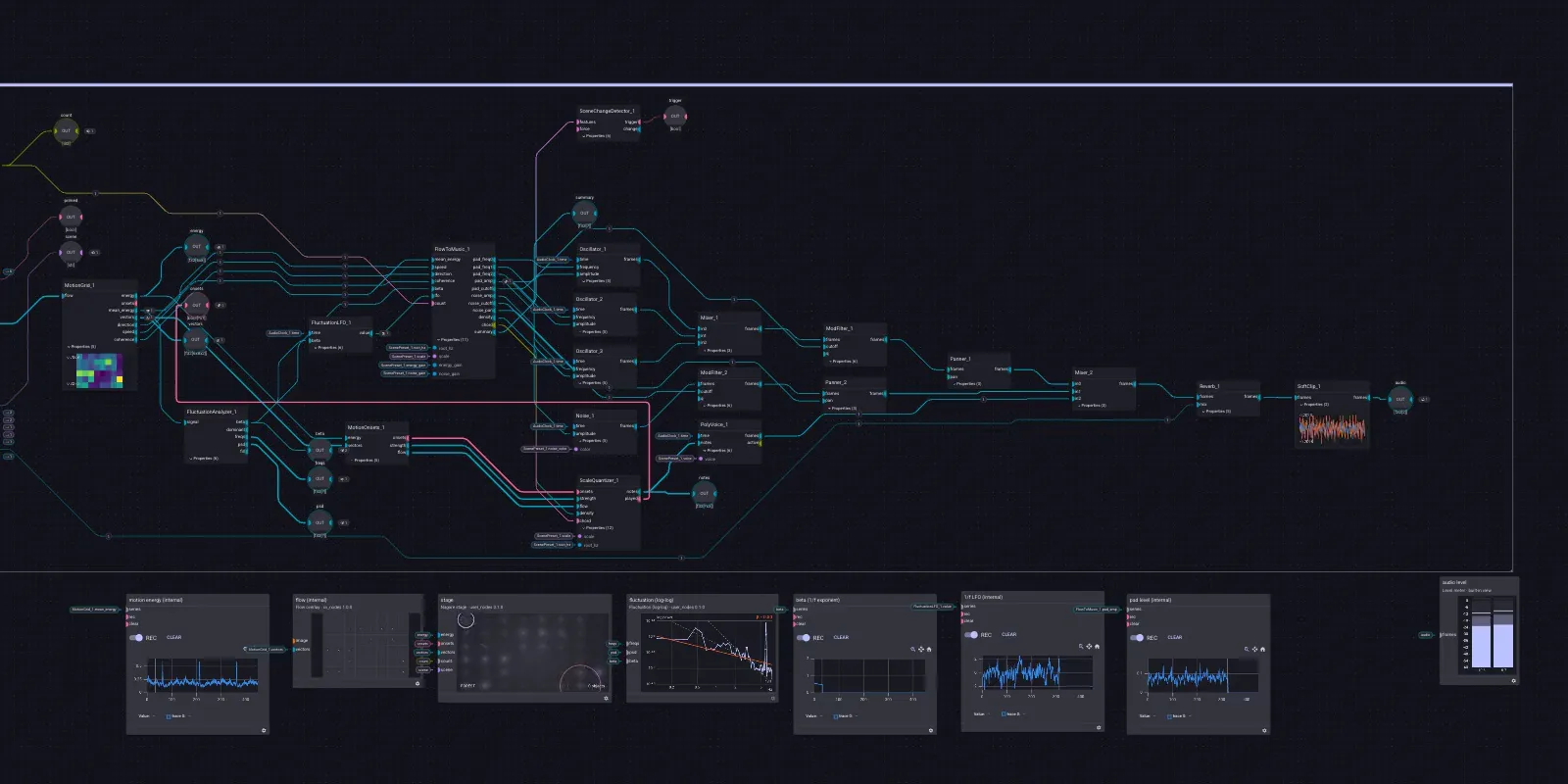
nonoha is node-based programming redesigned for the era of developing together with AI: a Python framework for real-time signal processing and applications. AI agents write a graph as code, people edit the same graph as a diagram, and an engine with no GUI runs it.

| Layer | Codebases |
|---|---|
| Tools and UIs | nonoha Hub and its CLI, nonoha-editor (this repository), your own web UI or app |
| Clients | nonoha-client-js |
| Runtimes | nonoha-engine (standalone), nonoha-embedded (inside an app) |
| Nodes | sci-nodes, plugins |
| Core | nonoha-core |
The nonoha website has the documentation and workspaces to start from.
- Visual node graph editing with drag-and-drop
- Real-time data visualization (line charts, scatter plots, heatmaps)
- Engine nodes for signal processing and computation
- Editor nodes for input/output and visualization
- Copy/paste support for nodes and edges
- WebSocket-based real-time updates
- Node.js 18.17+
- A running nonoha-engine backend
# Clone with the nonoha-client-js submodule
git clone --recursive https://github.com/viestyle-dev/nonoha-editor.git
cd nonoha-editor

# Install dependencies
npm ci

# Start development server
npm run dev
Open http://localhost:3000 in your browser.
The editor requires nonoha-engine to be running, for example from a clone of the engine repository:
uv run main.py --vnf flows/default.vnfSee the nonoha-engine README for engine setup.
The engine serves the editor under /editor, so build it with that base path:
NEXT_PUBLIC_BASE_PATH=/editor npm run build # PowerShell: $env:NEXT_PUBLIC_BASE_PATH="/editor"; npm run buildThen start the engine with --editor-html <this repository>/out, or copy out/ to the engine's editor_html/.
nonoha-editor/
├── app/graphs/           # Graph editor page
│   ├── page.tsx          # Main graph editor
│   ├── types.ts          # Clipboard types
│   └── node-prototypes.ts
├── src/
│   ├── api/              # API functions
│   ├── components/       # Shared UI components
│   ├── constants/        # Constants and registries
│   ├── nodes/            # React Flow node components
│   │   ├── engine-nodes/ # Engine node wrappers
│   │   └── editor-nodes/ # Editor-only nodes
│   ├── stores/           # Global state
│   ├── types/            # TypeScript types
│   └── utils/            # Utility functions
└── packages/
    ├── nonoha-client-js/  # Engine client library (git submodule)
    └── nonoha-views/      # Views: contract, host, catalog, built-in views
packages/nonoha-client-js is a git submodule of
nonoha-client-js;
clone with --recursive (or run
git submodule update --init --recursive). packages/nonoha-views holds
the views plugins add to the editor (and apps can show); its
README is the reference for writing one.
| Command | Description |
|---|---|
npm run dev |
Start development server |
npm run dev:watch |
Development with dependency watching |
npm run build |
Production build |
npm run lint |
Run ESLint |
npm run build:iife |
Build the packages' browser scripts |
npm test |
Run tests (vitest) |
npm run clean |
Clean build artifacts |
- Next.js - React framework
- React Flow - Node-based graph UI
- Material UI - Component library
- Plotly.js - Data visualization
- Emotion - CSS-in-JS styling
See CONTRIBUTING.md. Pull requests require signing the CLA (a bot will guide you on your first PR).
Apache-2.0. See also NOTICE.
The bundled Geist fonts are licensed separately under the SIL Open Font License 1.1.