

A visual node-based programming engine for data processing, device integration, and real-time analysis. It builds graphs by combining nodes, loads plugins, and exchanges data with other applications over REST and WebSocket APIs. It can also serve the built editor and a web UI of your own.
nonoha is node-based programming redesigned for the era of developing together with AI: a Python framework for real-time signal processing and applications. AI agents write a graph as code, people edit the same graph as a diagram, and an engine with no GUI runs it.

| Layer | Codebases |
|---|---|
| Tools and UIs | nonoha Hub and its CLI, nonoha-editor, your own web UI or app |
| Clients | nonoha-client-js |
| Runtimes | nonoha-engine (this repository; standalone), nonoha-embedded (inside an app) |
| Nodes | sci-nodes, plugins |
| Core | nonoha-core |
The nonoha website has the documentation and workspaces to start from.
- Python 3.11
- uv package manager
- Git (for submodules)
- Clone with submodules:
git clone --recursive https://github.com/viestyle-dev/nonoha-engine.git
cd nonoha-engine

# If you already cloned without submodules:
git submodule update --init --recursive- Install dependencies:
uv sync- Start the engine:
# Basic startup
uv run python main.py

# With the bundled template workspace (plugins + sample app)
uv run python main.py --vnf templates/default/flows/default.vnf --plugins ./templates/default/plugins

# Custom port
uv run python main.py --port 8001
The engine API will be available at http://localhost:8000 (or your specified port).
The engine serves nonoha-editor, the browser-based graph editor, at /editor:
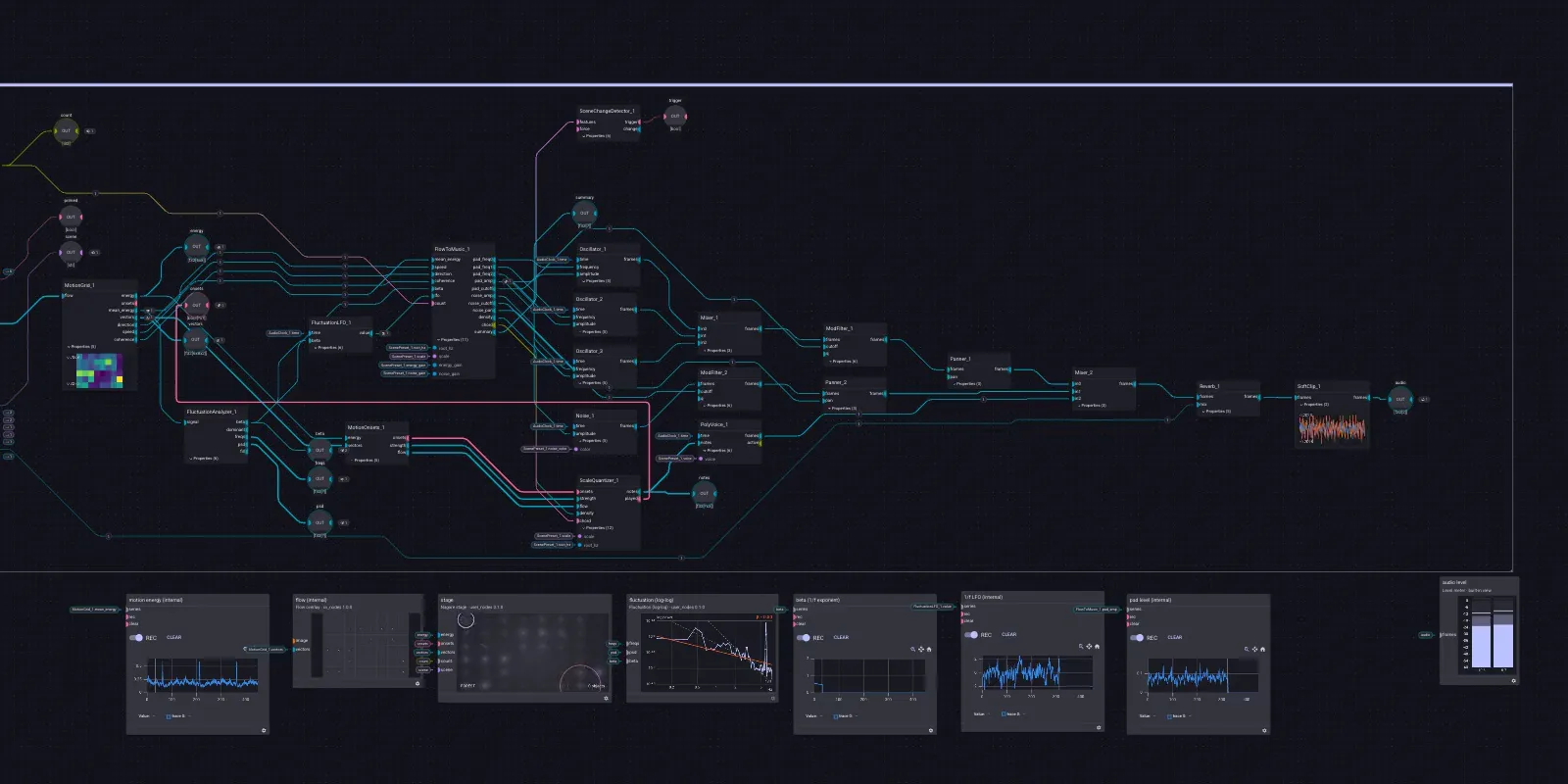
Build the editor (Node.js 18.17 or later) and pass the build to the engine:
git clone --recursive https://github.com/viestyle-dev/nonoha-editor.git ../nonoha-editor
cd ../nonoha-editor
npm ci
NEXT_PUBLIC_BASE_PATH=/editor npm run build   # PowerShell: $env:NEXT_PUBLIC_BASE_PATH="/editor"; npm run build
cd ../nonoha-engine
uv run python main.py --editor-html ../nonoha-editor/out
Then open http://localhost:8000/editor. Without --editor-html, the engine serves editor_html/ in the repository root (not committed) when it exists.
uv run python main.py [OPTIONS]

Options:
  --vnf PATH            Path to VNF (Visual Node Flow) file
  --plugins PATH        Path to plugins directory
  --host HOST           Address to listen on (default: 127.0.0.1; 0.0.0.0 for access from other machines)
  --port INT            Server port (default: 8000)
  --editor-html PATH    The editor's build to serve at /editor (default: editor_html/)
  --readonly            Read-only mode: changes are not saved to disk
  --inspector on|off    Inspector WebSocket endpoint for live port sampling (default: on)
  --allow-host NAME     Accept this Host name (tunnels, VPN or company DNS names). Repeatable
  --allow-origin ORIGIN Accept requests from pages at this origin (e.g. https://dash.example.com). Repeatable
  --env-file PATH       The .env file with this deployment's environment values
  --log-level LEVEL     Logging level (DEBUG, INFO, WARNING, ERROR, CRITICAL)
  --debug-save-log      Save logs to file for debugging
  --version             Show version information
--help Show help messageType "quit" in stdin to trigger a graceful shutdown process and terminate the engine properly.
# While engine is running:
quit
# → Shutdown process executes and the process terminates gracefully
Use cases:
- Useful when sending
CTRL+C(SIGINT) is difficult, especially on Windows - Avoids issues where
CTRL_Cevents cannot be sent to different process groups, and sendingCTRL_Cto the same process group terminates the parent process as well
Use the --debug-save-log option to save all logger output to a file for debugging purposes.
uv run python main.py --debug-save-log
# → Logs are saved to logs/nonoha_engine_YYYYMMDD_HHMMSS_PID.log
Use cases:
- Debugging when launched as a subprocess
- Monitoring logs during background execution
- Capturing error logs for investigation
Note:
- Log files are not automatically rotated
- Be mindful of disk space for long-running processes
- Intended for debugging purposes only
uv sync

# Run all tests with showing output
uv run pytest tests -suv run pytest tests/test_record_nodes.py -suv run pytest tests -v -s- Using py-spy (Recommended for production):
# Install py-spy
pip install py-spy

# Profile a running process (non-intrusive)
py-spy record -o profile.svg --pid 18592

# Profile a script from start
py-spy record -o profile.svg -- python main.py

# Real-time top-like view
py-spy top --pid 18592- Using cProfile:
import cProfile
import pstats

# In your code
profiler = cProfile.Profile()
profiler.enable()

# ... your code to profile ...

profiler.disable()
stats = pstats.Stats(profiler)
stats.sort_stats('cumulative')
stats.print_stats(20) # Top 20 functions- Using line_profiler:
# Install
uv pip install line_profiler

# Decorate functions with @profile
# Run with:
uv run kernprof -l -v your_script.py# Install memory profiler
uv pip install memory_profiler
# Run with:
uv run python -m memory_profiler your_script.pyimport tracemalloc
import numpy as np
# Start tracing
tracemalloc.start()
# ... your code ...
# Get current memory usage
current, peak = tracemalloc.get_traced_memory()
print(f"Current memory: {current / 10**6:.1f} MB")
print(f"Peak memory: {peak / 10**6:.1f} MB")
tracemalloc.stop()The engine provides REST and WebSocket APIs for node flow management.
Python Client:
import requests

# Get available graphs
response = requests.get("http://localhost:8000/node-flow/graphs")
graphs = response.json()

# Create a node
node_data = {
    "type": "AddNumber",
    "preferred_name": "adder1",
    "properties": {"value": 10.0}
}
response = requests.post(
    f"http://localhost:8000/node-flow/graphs/main/nodes",
    json=node_data
)
JavaScript/TypeScript Client:
// Using fetch API
const response = await fetch('http://localhost:8000/node-flow/graphs');
const graphs = await response.json();

// WebSocket connection
const ws = new WebSocket('ws://localhost:8000/node-flow/graphs/main/endpoint/ws');
ws.onmessage = (event) => {
    // Handle binary data
    const data = new Uint8Array(event.data);
};-
TypeScript/JavaScript: nonoha-client-js
- Full TypeScript support
- REST and WebSocket APIs
- Binary protocol handling
-
Flutter/Dart: flutter_nonoha_engine_client
- Cross-platform mobile support
- Real-time data streaming
- Native performance
-
Unity/C#: UnityVieNodeEngineClient
- Unity integration
- Game engine compatibility
- 3D visualization support
-
Python: Use standard libraries
requestsfor REST APIwebsocket-clientfor WebSocket
See AGENTS.md for a comprehensive guide designed for AI coding agents (Claude Code, Cursor, etc.). It covers node implementation patterns, plugin structure, custom app development, and API reference.
Extend the engine functionality with custom nodes.
# plugins/my-plugin/my_plugin/__init__.py
from nonoha_core.node_registry import NodeRegistry
from nonoha_core.node import BaseNode

class MyCustomNode(BaseNode):
    def __init__(self, name: str):
        super().__init__(name, "MyCustomNode")
        # ... setup ports and properties ...

def register_nodes(registry: NodeRegistry):
registry.register_node("MyCustomNode", MyCustomNode)nonoha-engine/
├── nonoha_engine/ # Core engine code
│ ├── node_flow/ # Node flow management
│ ├── plugin_management/ # Plugin system
│ └── webrtc_gateway/ # WebRTC support
├── packages/ # Submodule packages
│ ├── nonoha-core/ # Core node definitions (submodule)
│ └── sci-nodes/ # scipy-dependent nodes (submodule)
├── templates/ # Workspace templates (copied by nonoha-hub)
│ └── default/ # Default template (plugins, flows, app)
├── tests/ # Test suite
├── docs/ # Documentation
│ ├── api-reference.md # API documentation
│ └── plugin-system/ # Plugin docs
└── AGENTS.md # AI agent development guide
# Build executable
uv run pyinstaller main.spec --noconfirm --clean

# Output will be in dist/nonoha-engine/FROM python:3.11-slim
WORKDIR /app
COPY . .
RUN pip install uv && uv sync
CMD ["uv", "run", "python", "main.py"]Port already in use:
# Change port
uv run python main.py --port 8001
Plugin not loading:
- Check
manifest.jsonexists in plugins directory - Verify plugin is listed and enabled in manifest
- Check plugin structure follows conventions
Memory issues with large data:
- Use chunked processing for large arrays
- Monitor memory with profiling tools
- Consider using
numpy.memmapfor huge datasets
Follows Semantic Versioning from 1.0.0. Within a
major version, plugins keep working: the plugin entry points
(register_nodes, finalize), the bundled nonoha-core API, the supported
Python range, and the NumPy major version stay compatible. A plugin built
for 1.x can declare compatibility with >=1.0.0, <2.0.0.
Contributions are welcome — see CONTRIBUTING.md. Pull requests require signing the nonoha CLA (a one-time comment on your first PR, shared across the nonoha repositories).
See SECURITY.md for how to report vulnerabilities and for the engine's threat model (graphs and plugins execute code).
nonoha-engine is dual-licensed:
- AGPL-3.0-only — free for any use, including commercial, as long as you comply with the AGPLv3 obligations.
- Commercial license — for distribution without the AGPLv3 obligations. Small projects receive an automatic free grant: those who build with it qualify while the end product's development cost is under JPY 5,000,000, and those who earn from the product itself while their revenue from it is under JPY 5,000,000 — see COMMERCIAL-LICENSE.md (English) / COMMERCIAL-LICENSE_ja.md (Japanese original; authoritative).
Code examples in this README, AGENTS.md, and docs/, the templates in templates/, and the sample flows in flows/ are provided under the MIT No Attribution License (MIT-0; see the LICENSE file in docs/, templates/, and flows/), so you can copy them into your own work without attribution.
Commercial licensing contact: https://www.viestyle.co.jp/contact/
Copyright 2026 VIE, Inc.